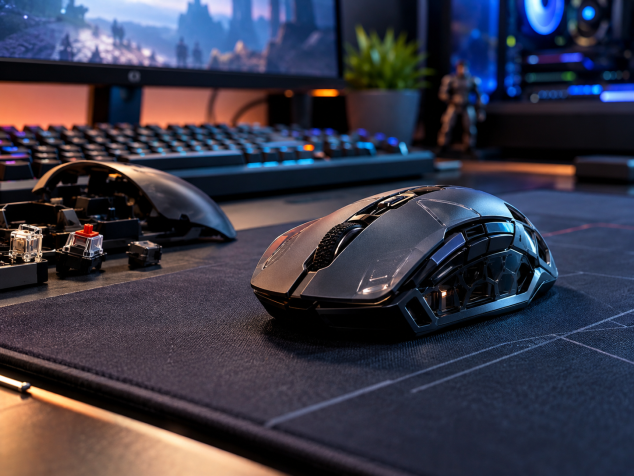
Instead of relying on fixed mechanical switches, this emerging technology uses inductive sensing and customizable haptic feedback to make mouse clicks more adjustable and potentially more consistent.
A haptic-inductive mouse switch replaces the fixed on/off microswitch under a mouse button with an electromagnetic sensor that can measure how far the button has moved. A separate haptic actuator then creates the physical click sensation under your finger. That means click detection and click feel become two independently controllable parts of the mouse. Logitech’s Haptic Inductive Trigger System, or HITS, is one of the first high-profile gaming implementations, and the idea immediately caught my attention because it treats a mouse button more like an analog input than a simple switch. You can choose where the press registers, adjust how quickly it resets, and alter the strength of the tactile feedback instead of accepting whatever characteristics were built into a microswitch at the factory.
The inductive sensing part sounds more complicated than it feels in use. Under Logitech’s system, an electromagnetic coil sits below a conductive trigger plate attached to the moving mouse button. The coil generates rapidly changing electromagnetic fields that induce current in that plate. The interaction changes as the plate moves closer to or farther from the sensor, allowing the mouse’s electronics to calculate button position across a very short travel range. Logitech engineers have said that a typical mouse button moves less than a millimetre, which is one reason inductive sensing appealed to them. Once the measured position crosses the actuation threshold selected in software, the mouse sends the click and a small linear resonant actuator produces the tactile pulse your finger interprets as the familiar snap of a switch.
That gives mechanical vs optical vs haptic-inductive mouse switches a much more interesting comparison than I expected. A traditional mechanical mouse switch uses physical electrical contacts, which can develop contact bounce and wear as they age. Firmware commonly filters that bouncing so one physical press does not become several inputs. Optical mouse switches detect actuation with light, avoiding electrical contact bounce and helping them deliver very consistent registration over time. Haptic-inductive switches take another route by measuring button movement continuously and letting software decide exactly where actuation happens. Their biggest potential advantage, in my view, is customization. Optical switches already address many of the latency and durability concerns associated with mechanical contacts, so haptic-inductive technology has to offer something beyond simply claiming to be faster. Adjustable mouse clicks give it that extra reason to exist.
The adjustable part is where I can actually imagine changing settings from game to game. For a fast shooter, I would probably start with a shallow actuation point and a short rapid-trigger reset so repeated taps need very little button movement. A strategy game or normal desktop work might suit a deeper threshold that makes accidental clicks less likely when my fingers are resting on the shell. The haptic strength could then be tuned separately, so a light actuation does not necessarily have to feel vague. Logitech currently exposes multiple actuation and rapid-trigger levels on its Superstrike implementation, along with adjustable click haptics. One thing worth separating from the marketing is actual physical click force. Software can alter the actuation distance and the feedback you feel, while the force required to move the physical button still depends on the button mechanism itself. I would much rather have those distinctions explained clearly than see every adjustable parameter lumped together as “customizable click feel.”
The wider gaming-mouse market in 2026 makes this especially interesting because manufacturers are experimenting with more than switches. Logitech put HITS into the PRO X2 SUPERSTRIKE and has since shown the PRO X3 SUPERSTRIKE as another generation of the concept, with adjustable actuation and haptic feedback remaining central features. SteelSeries, meanwhile, announced its Sensei Pro and Rival Pro families with ultra-wideband wireless connectivity and 8,000 Hz polling, using a dedicated base station to pursue more consistent high-rate wireless communication. These are different engineering approaches, yet they point toward the same broader phase of gaming mouse development: companies are looking beyond sensor DPI and shell weight for meaningful improvements. A mouse that knows the precise position of its buttons is particularly intriguing because that information can change how the input behaves rather than simply making an existing click mechanism incrementally quicker.
There are plenty of reasons I would hesitate before declaring mechanical mouse switches obsolete. An inductive gaming mouse needs additional sensing electronics and haptic actuators, and those parts require power plus firmware sophisticated enough to keep the entire experience synchronized. There is also a feel problem to solve. A good mechanical switch has an unmistakable snap that many players already like, and an electronically generated pulse has to feel convincing enough that I stop thinking about it. Cost matters too, especially when excellent optical gaming mice already deliver very low latency without this level of complexity. Long-term reliability remains another question because haptic-inductive gaming mice have not existed in large numbers for years of normal consumer use. Logitech advertises sizable latency reductions from configurable actuation and reset points, although an independent PC Gamer reaction-time experiment found no meaningful real-world improvement in the tester’s human response times. That is a useful reminder that shaving hardware latency and making someone measurably better at a game are two different claims.
A mouse this sophisticated also makes its supporting gear more relevant. A wireless charging system or charging puck can keep a compatible mouse topped up between sessions, and systems such as Logitech POWERPLAY can supply power while the mouse is being used. A USB receiver extension adapter is much less glamorous, though I consider it one of the more useful accessories because it lets you position the wireless receiver closer to the mouse and farther from crowded ports or interference around the PC. High-polling-rate mice may use their own specialized wireless receiver or base station, as SteelSeries does with its UWB models, so getting the intended wireless performance can depend on using the supplied hardware correctly. Replacement PTFE mouse feet are worth keeping around because worn skates change glide far more noticeably than another tiny latency reduction ever will. Grip tape can help players who use very light mice with a loose fingertip grip, while the mouse pad itself lets you favour a controlled cloth surface or a faster glide. I would also use a fitted carrying case if I were regularly moving an expensive lightweight mouse between setups, since throwing one loose into a backpack feels like an unnecessary test of its shell and scroll wheel.
My feeling is that haptic-inductive switches are one of the more convincing new ideas in gaming mouse technology because they give the button a capability traditional switches fundamentally lack: measurable travel with a software-defined trigger point. I am less interested in promises that a few milliseconds will suddenly improve my aim. Customizable mouse clicks appeal to me because I could make an overly sensitive button harder to trigger, shorten the reset for games where repeated clicks matter, or change the haptic strength until the click feels right. I expect the technology to stay concentrated in premium gaming mice first, especially while the extra electronics remain expensive and manufacturers are still refining the feel. For my own next mouse, I would seriously consider haptic-inductive switches once the mouse also gets the basics right: a shape I like, sensible battery life, reliable onboard profiles, and several years of evidence that the sensing and haptic hardware hold up. If those pieces fall into place, the fixed mechanical microswitch may eventually start to feel surprisingly old-fashioned.
Pros:
Customizable click actuation: You can potentially choose how far the button travels before a click registers, which could suit different games or personal preferences.
- Faster reset behavior: Adjustable reset points may help with rapid repeated clicking, especially in competitive games.
- Less reliance on physical electrical contacts: Inductive sensing avoids some of the wear and contact-bounce issues associated with traditional mechanical microswitches.
- Adjustable haptic feedback: The click sensation can be tuned separately from the actuation point, giving manufacturers more control over how a mouse feels.
- Better accidental-click control: A deeper actuation setting could make unintended clicks less likely during desktop use or slower-paced games.
Cons:
- More complicated hardware: Inductive sensors and haptic actuators add electronics that conventional mouse switches do not need.
- Potentially higher power consumption: Creating haptic feedback and continuously sensing button position can place extra demand on a wireless mouse battery.
- Higher cost: Early implementations are likely to remain concentrated in premium gaming mice.
- Click feel may seem artificial: Some players may still prefer the familiar snap of a good mechanical switch.
- Long-term durability is still being proven: Haptic-inductive mouse technology has not yet been used widely enough to establish the same lengthy track record as mechanical or optical switches.
Bottom Line:
Haptic-inductive switches look genuinely promising because adjustable actuation and click feedback give gaming mouse buttons capabilities that mechanical and optical switches cannot easily match. I would consider them for my next gaming mouse once the technology has a stronger reliability record and appears in more reasonably priced models.
Tags:
haptic mouse switches, haptic-inductive switches, inductive gaming mouse, gaming mouse switches, mechanical vs optical mouse switches, mechanical vs optical vs haptic-inductive mouse switches, haptic gaming mouse, inductive mouse switch